
Frequently Asked Questions
Q: Will we be able to see all the information when a case is transferred from Child Welfare to Probation?
A: Yes, all previous child welfare case information and history will be available for the probation worker to access and view.
Q: Regarding Optimistic Concurrency, will there be a warning message when 2 people are editing the same record (For example, the same contact note, same warrant, etc.)?
A: In CWS-CARES, updates are written directly to the cloud. If two users attempt to edit the same record at the same time (e.g., the same contact log or case record), the second user will receive an error indicating that the record has been updated. They will then need to refresh the page, re-enter their changes, and save.
To be clear, records are not locked during editing since Salesforce handles Optimistic Concurrency through conflict detection instead.
Q: Can the tribal information in Resource Management directory (for example, Tribe name changes etc.) be edited by the counties or is this going to be a state only functionality?
A: Only approved state personnel are allowed to view/edit a Tribe Organization in CWS-CARES.
Q: Following Go-Live (in addition to Production), which CWS-CARES environment(s) (e.g., staging, readiness, training, etc.) will remain available to organizations so that users can continue to "practice/train" in a non-Production environment?
A: Following go-live, counties and organizations will maintain access to multiple environments in addition to Production. This multi-environment structure enables them to develop and test county-specific forms and reports, conduct ongoing practice sessions and staff training, and support continuous learning without disrupting live operations.
Available non-production environments include:
- Training Environment – For staff training and onboarding
- County/Organization Dev Environment – Specifically for forms and report authors to continue development work. This environment will have non-production (test/simulated) data
- Readiness Environment – For ongoing practice and readiness activities. This environment will have production data (refreshed from the Production environment at a yet TBD interval). Can also be used for testing county-developed forms and reports against production data
Q: Will dedicated counties be allowed to access CWS-CARES on county computers as well as state computers?
A: Dedicated County Users will be expected to access CWS-CARES using their dedicated county machines (supported by CWDS), similar to how they currently access CWS/CMS. Non-CWDS-supported county machines will not be allowed to access CWS-CARES. Users with specialized access needs (as seen in CWS/CMS) may be assigned SCBS-Citrix access based on specific business requirements.
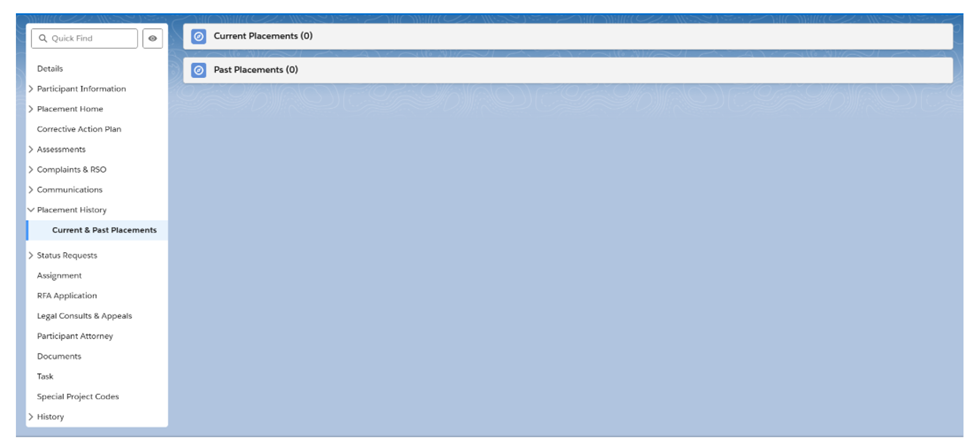
Q: I believe in one of the CWS-CARES meetings we were shown a demonstration that would allow us to look up the current facility roster that shows the children placed in a specific facility. Can you confirm whether that is accurate?
A: Yes, users can see a list view of currently placed children and list of historical placements.
Q: Where can counties receive CWDS website login support?
A: If counties are in need of CWDS Website log-in support, please contact Customer Relations.
Q: What Binti modules are approved for CWS-CARES data conversion?
A: The approved Binti modules for CWS-CARES data conversion are as listed below:
- Resource Family Approvals (RFA)
- Placement
- Family Finding
Q: Can the Project provide more information about Prospective Young Adult Re-Entry into Extended Foster Care (EFC), including what triggers the process and the points of re-entry?
A: CWS-CARES will have one consistent location for documenting re-entry into EFC activities, so that documentation can be better captured and monitored by the county. The user will be able to manage all of the tasks required when an eligible young adult wishes to re-enter EFC, and the system will prompt the user to complete the required tasks. Training materials are being developed to guide this process. There are various points of re-entry, including at screening and within case units of work. A recent demo is available on the CWDS website under Case Management, titled "Extended Foster Care - Initial Entry & Re-Entry into EFC".
Q: What happens to Binti data that has no place in CWS-CARES?
A: Data mapping sessions determine what does or does not have a place in CWS-CARES.
Most Binti data aligns with CWS-CARES and converts successfully. County-specific or Binti-specific fields are reviewed during mapping, including:
- Administrative fields
- County-specific process fields
- Binti administrative/technical fields
- Data with no CWS-CARES equivalent